
Browse the docs
What is Periode
Periode is a booking, membership and payment system for saunas, from single self-service saunas to operators with dozens of saunas and a big team. It also works for other venues that sell time, such as rooms, classes and rentals. Your team sets everything up in the Backoffice, and your guests book and pay on booking pages that carry your brand.
Products and sessions
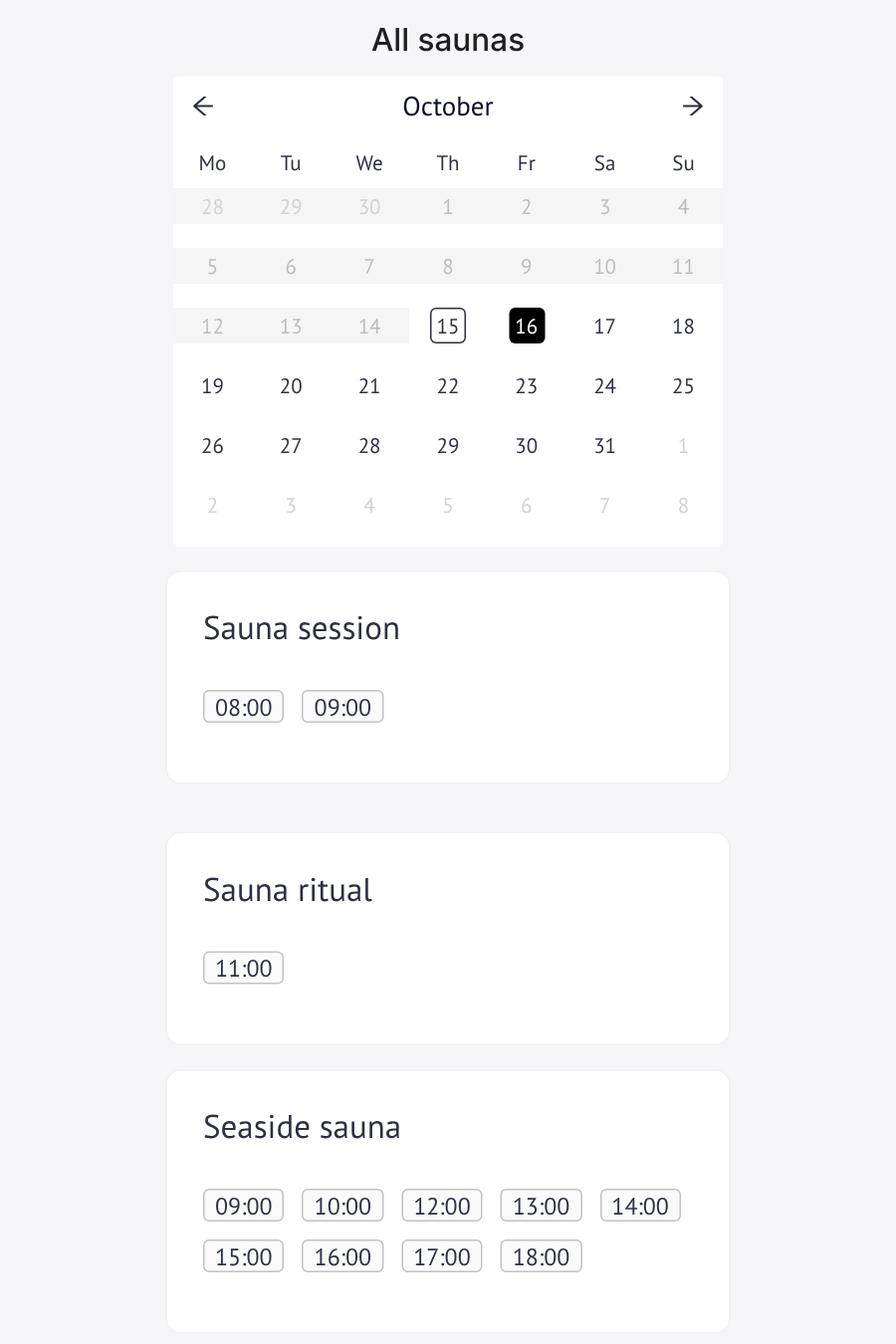
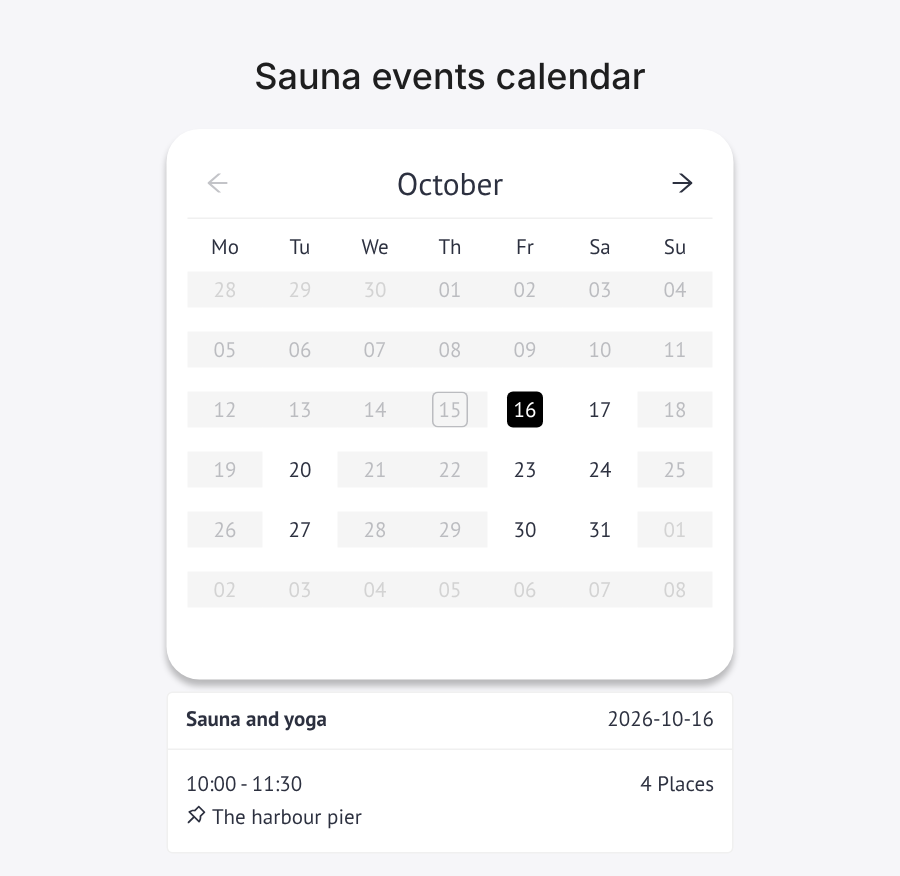
Everything you sell is a product. A booking product is a template: it holds the price, capacity, schedule and rules for a sauna, a class or an event. Periode publishes dated sessions from it, and those sessions are what your guests book. Change the product when the normal rules change, and change a single session when only one date is different.
Booking products cover shared sessions, private hire, events and classes. Next to them you can sell:
- Memberships that renew automatically, with member prices and included visits.
- Punch passes for a set number of visits.
- Gift cards that guests spend when they book.
Guest logins
Guests can book without an account, or sign in with email, Apple, Google or Facebook, depending on which login methods you allow. Signing in keeps their bookings, memberships, punch passes and gift card balance together in one place, and guests need it for member prices and to pay with a gift card or punch pass. You can also require everyone to sign in before booking.
Payments
Payments run through Adyen, our payment partner. Periode takes the payment, sends the receipt and handles refunds, and your sales are transferred to your bank account automatically. There is no monthly fee: a transaction fee on each payment covers card processing and Periode. See pricing for your country.
The Backoffice
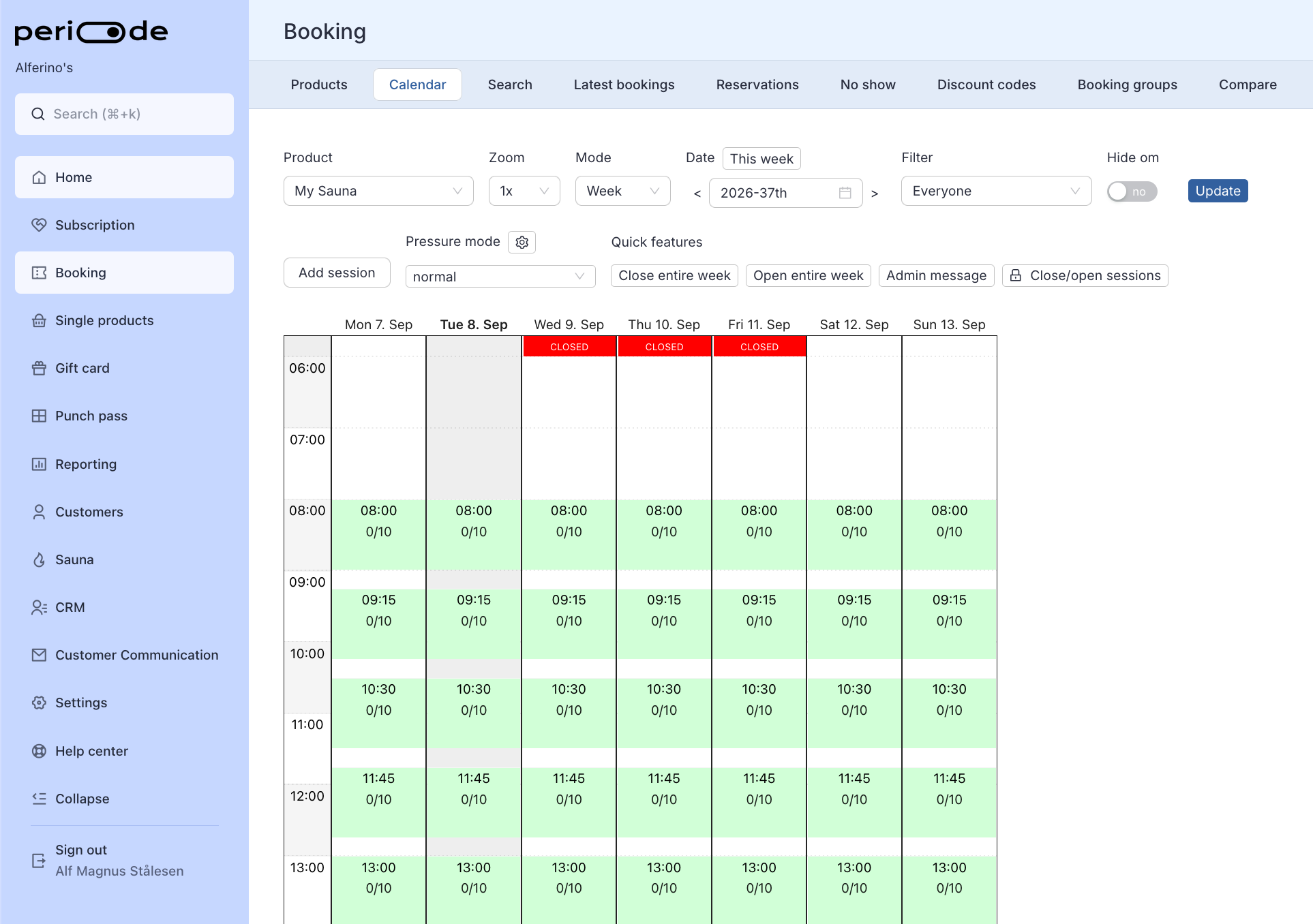
The Backoffice at merchant.periode.no is where your team works. You create products, follow the day in the booking calendar, check guests in, look up customers, refund payments and download reports there.
Every product has its own customer link. Put it on your website as a Book now button or a calendar, share it in a newsletter, or print it as a QR code for the door. See Connect Periode to your website.
Next steps
Set things up in this order: set up the Backoffice with your company details, team and brand, activate payments, and then open for bookings with your first product. If you use another booking system today, we move your bookings, memberships, punch passes and gift cards over for you at no extra cost, see Migrating from another system.
Email contact@periode.no or call +47 915 21 865 whenever you need help. Support is included, and the Backoffice has video tutorials under Help center.